
Analyze keywords by country
The same product is searched for differently in different countries, and the same keyword can convert in one market and not in another. This guide shows which keywords each country uses.
Time: about 10 minutes · You need: Big Hero or above for the app report
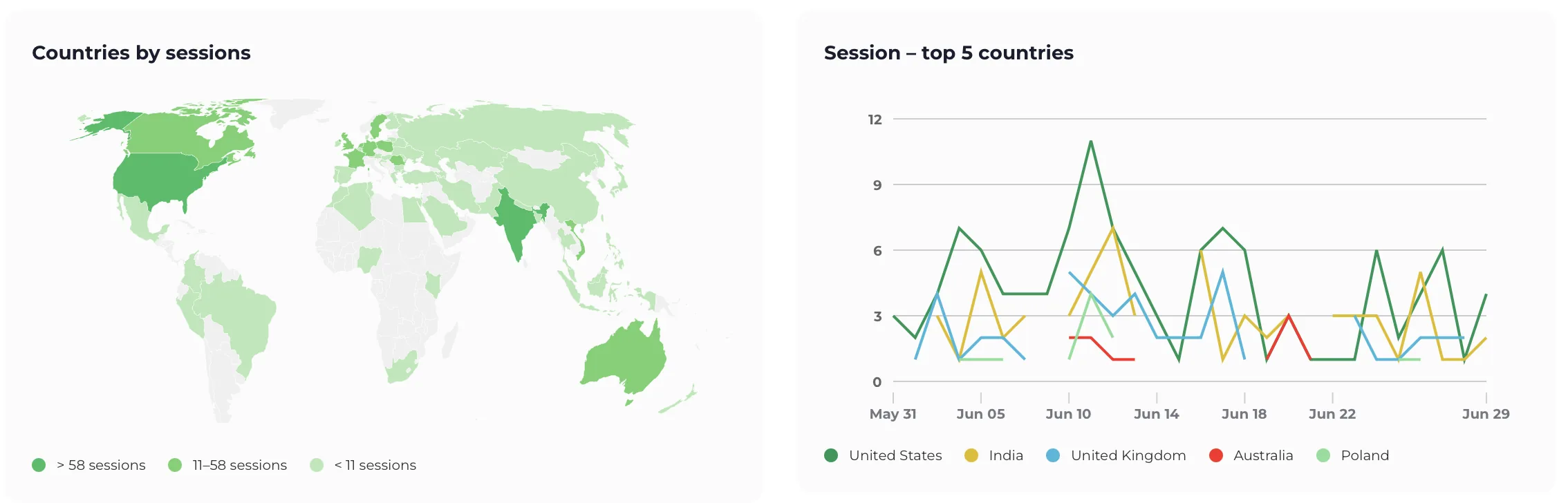
1. See where the searches come from
Section titled “1. See where the searches come from”In the app: open Countries in the menu. It lists the countries with the most organic traffic.
In Google Analytics: open the Keyword Hero report and set
country_iso_code as the secondary dimension. Countries appear as two-letter
codes, such as DE or US.
2. Narrow to one country
Section titled “2. Narrow to one country”In the app, the keyword table at the bottom of the report shows all countries. Click All countries and pick one.

In Google Analytics, filter on one keyword instead, to see that keyword across countries.
3. Decide what to localize
Section titled “3. Decide what to localize”- A country with traffic and no conversions may need prices, shipping or language it does not get today.
- Keywords in another language reaching an English page are a page that does not exist yet.
- The same keyword converting differently by country points at the offer, not at SEO.