
Compare keywords across devices
Google ranks mobile and desktop separately, and people search differently on each. A keyword can rank on page one on mobile and page two on desktop, or bring most of its traffic from phones and most of its sales from laptops.
Time: about 10 minutes · You need: Big Hero or above for the app report
1. Open the device split
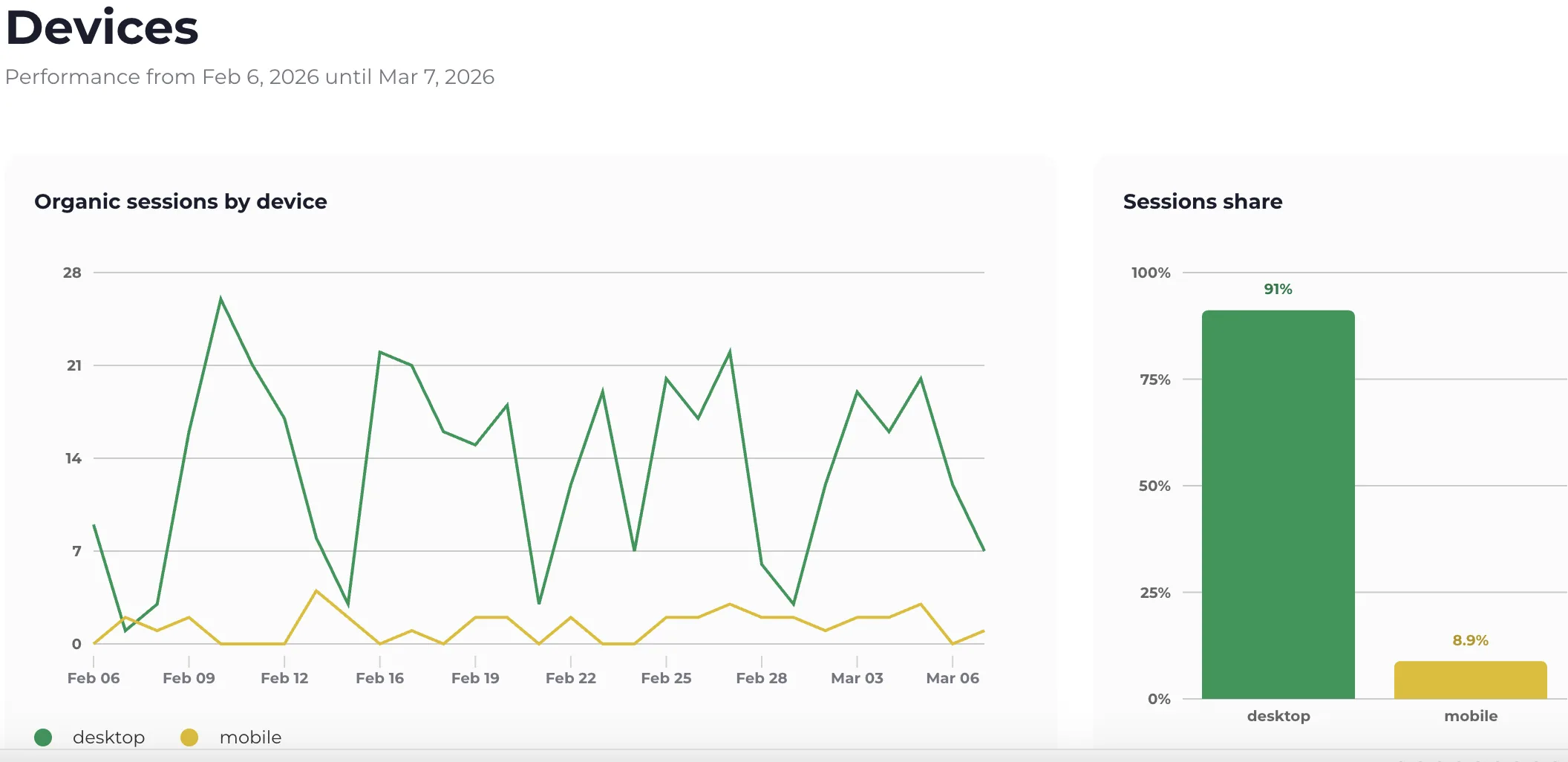
Section titled “1. Open the device split”In the app: open Devices in the menu. The top shows organic sessions and their share per device.
In Google Analytics: open the Keyword Hero report and set
device_category as the secondary dimension.
2. Compare the metrics
Section titled “2. Compare the metrics”The table below splits the key metrics by device: average position, bounce rate, page views, event count and event value.
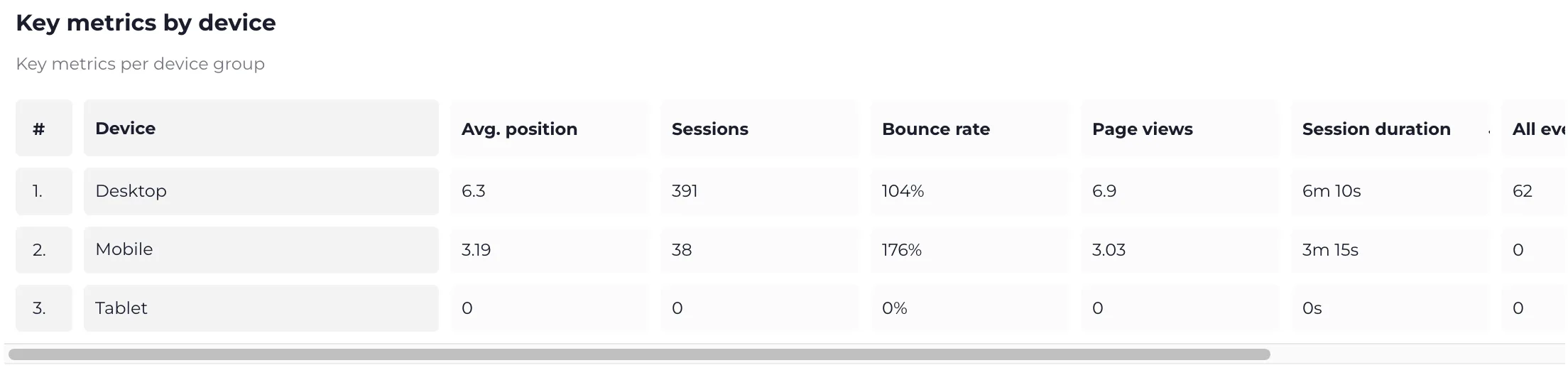
Mobile often brings more traffic and fewer conversions, because people research on the phone and buy on the computer. That is normal. A gap much larger than your site’s usual one is not.
3. Find the keywords that differ
Section titled “3. Find the keywords that differ”The keyword table at the bottom has a toggle to switch between device types.
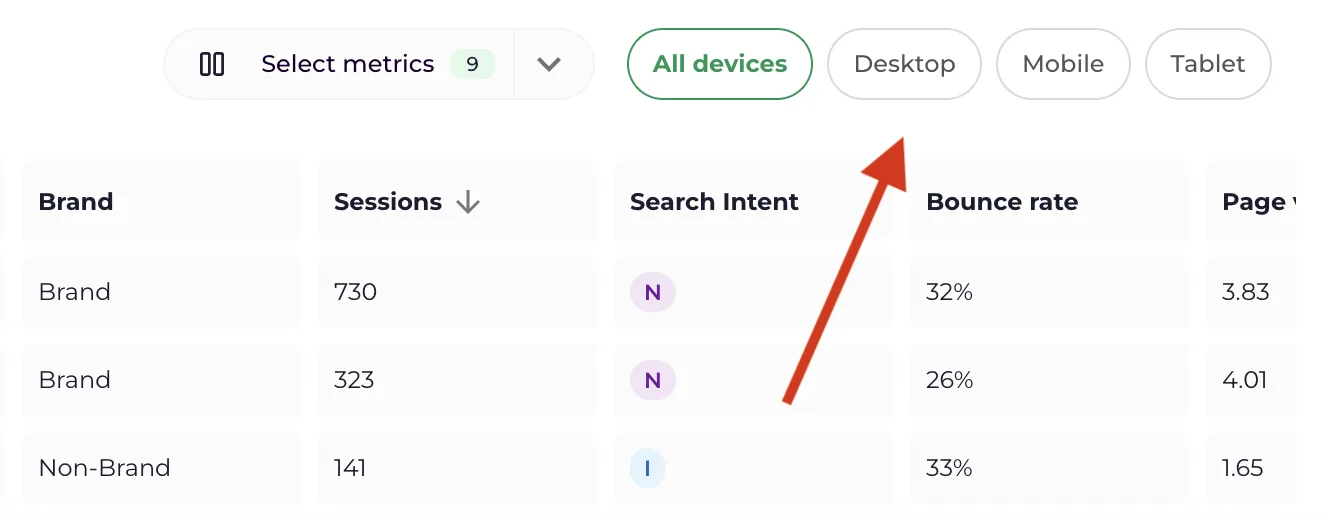
Look for:
- Keywords that rank well on one device only. Often a page that renders poorly on the other.
- High-intent keywords that only convert on desktop. Check the mobile checkout or form.
- Informational keywords that come mainly from mobile. Make sure that the answer is visible without scrolling.
In Google Analytics, filter on one keyword and keep device_category as
the secondary dimension to see one keyword across devices.
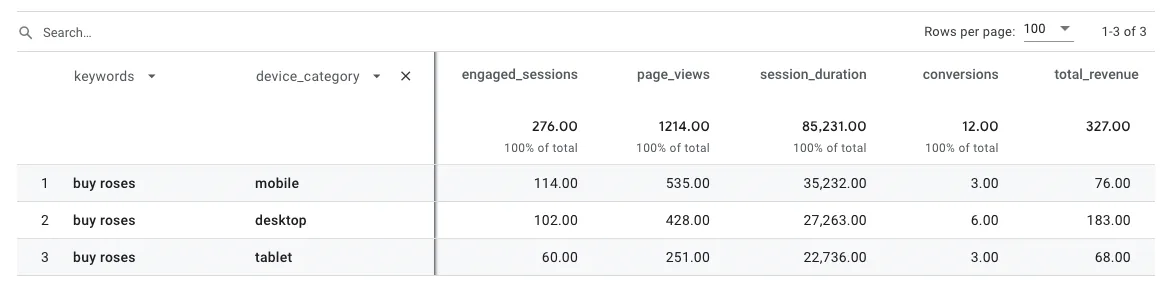
More than half the searches for “buy roses” come from phones, and mobile visitors perform worst. That is the page to fix first.