
Filter by search intent
Every keyword in the app carries a search intent: was the searcher learning, navigating, comparing or ready to act? Filtering by it answers questions traffic alone cannot, such as whether your commercial pages attract commercial searches.
Time: 5 minutes · You need: Giant Hero or above. Search intent is in the app only, not in Google Analytics.
1. Set the intent filter
Section titled “1. Set the intent filter”Open the Intent dropdown in the filter bar at the top of any report.

Choose the intent you want to see.
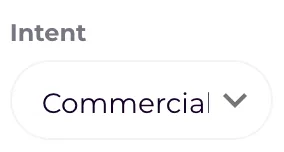
The filter applies to every report until you clear it, so you can move from Overview to Devices to Countries and stay on the same kind of search.
2. Combine it
Section titled “2. Combine it”Add other filters on top, or sort by conversions, to answer questions like:
- Which transactional keywords convert, and which do not? The ones that do not are pages that fail at the last step.
- How much traffic is informational? A high share with few conversions is normal for a blog, and a problem for a shop.
- Do commercial searches land on comparison pages? Check the Landing Page report with the Commercial filter on.
Check it worked
Section titled “Check it worked”The intent column in every table shows only the letter you filtered on. See Search intent for what each letter means.