
Save the report in GA4
The Keyword Hero report in Google Analytics opens with the right settings only when you open it from the app. Save it as your own report once, and it sits in the Google Analytics sidebar for you and for everyone with access to the property.
Time: about 10 minutes · You need: edit rights on the Keyword Hero property
1. Open the report from the app
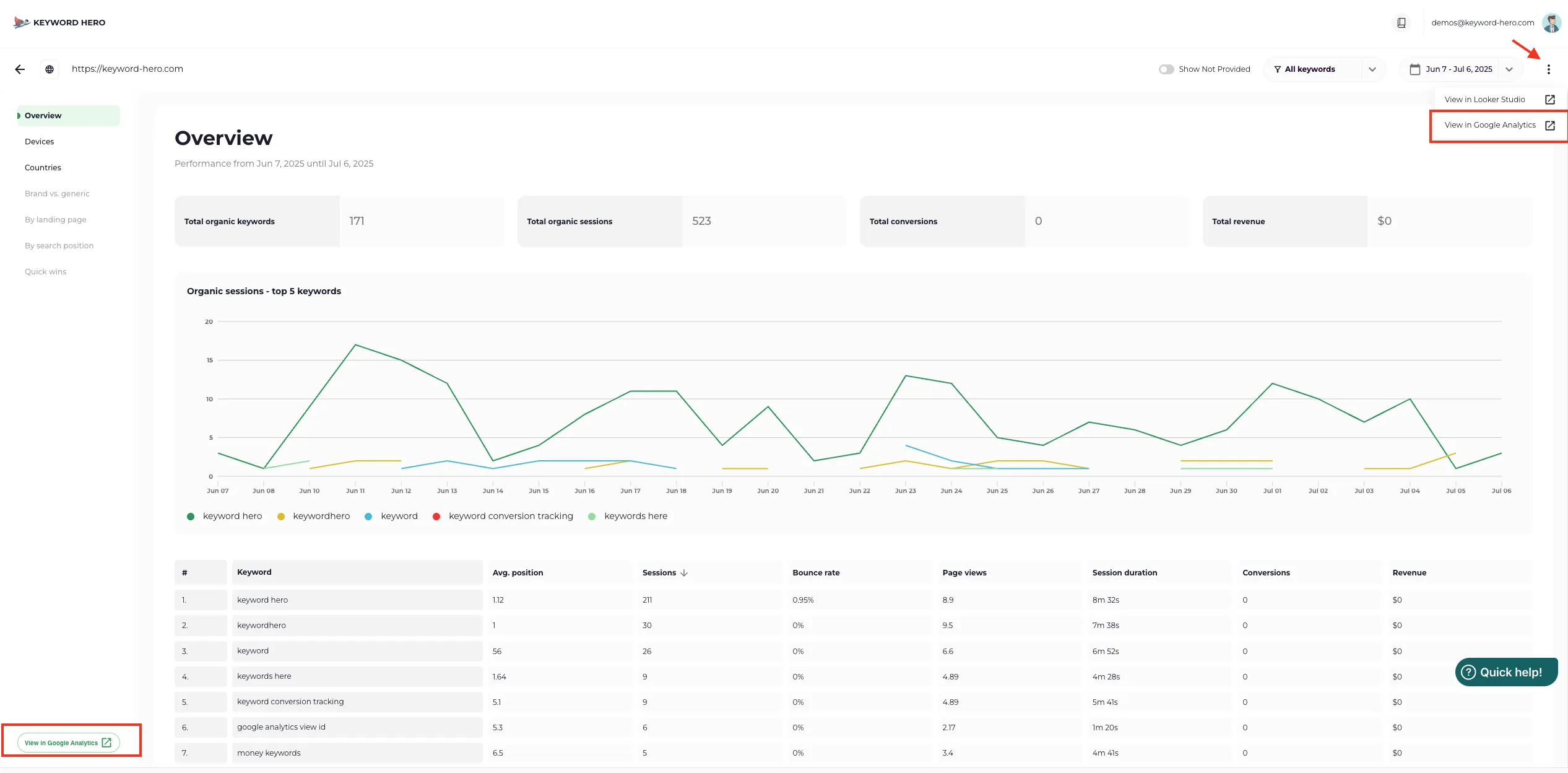
Section titled “1. Open the report from the app”Open the project in the Keyword Hero app and choose View in Google Analytics, at the bottom left, or open the three-dot menu at the top right.
2. Save it as a new report
Section titled “2. Save it as a new report”-
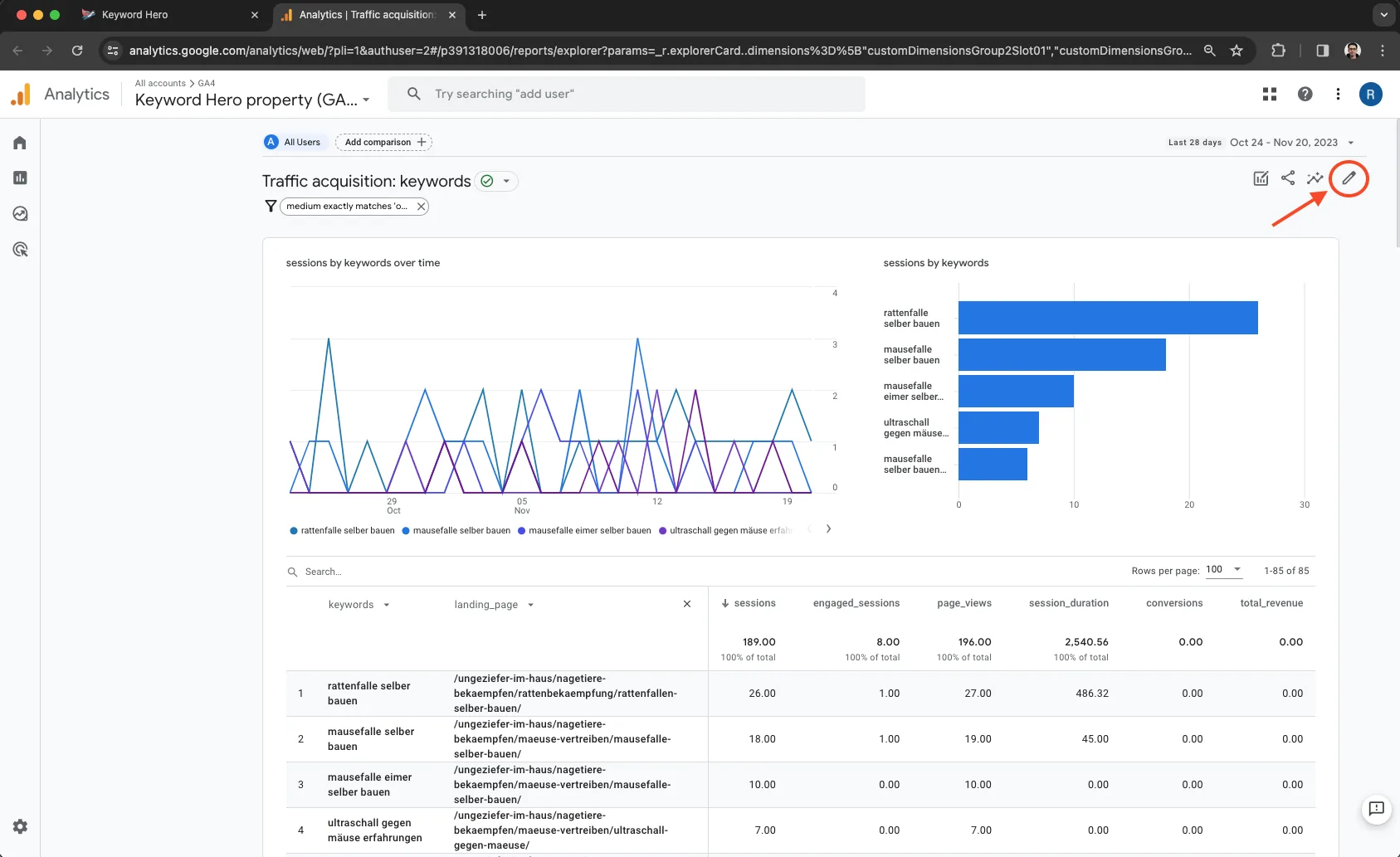
Click the pencil icon, Customize report, at the top right.
-
Choose Save → Save as new report.
-
Give it a name, such as Keyword Hero, and choose Save.
3. Put back the right conversions metric
Section titled “3. Put back the right conversions metric”-
In the editor, open Metrics under Report data.
-
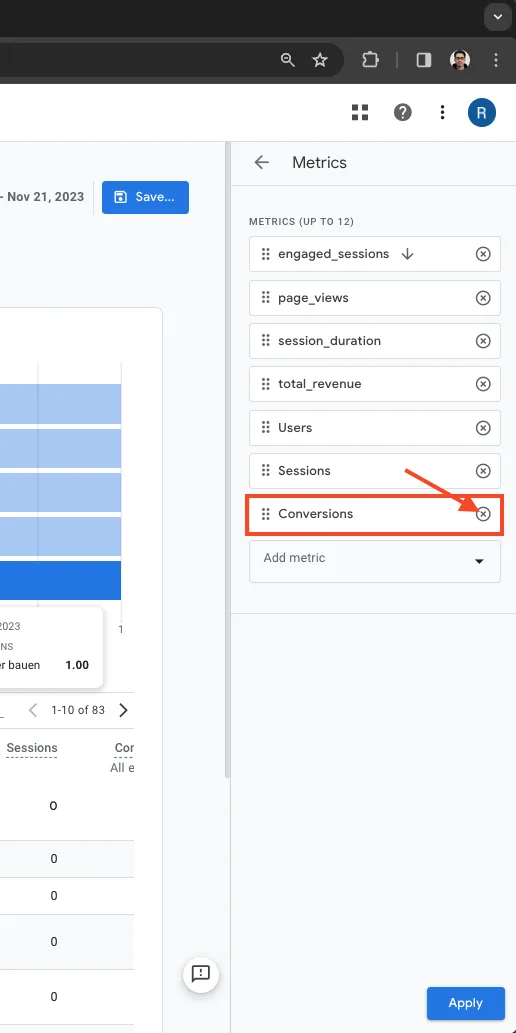
Remove Conversions, with a capital C, using its x.
-
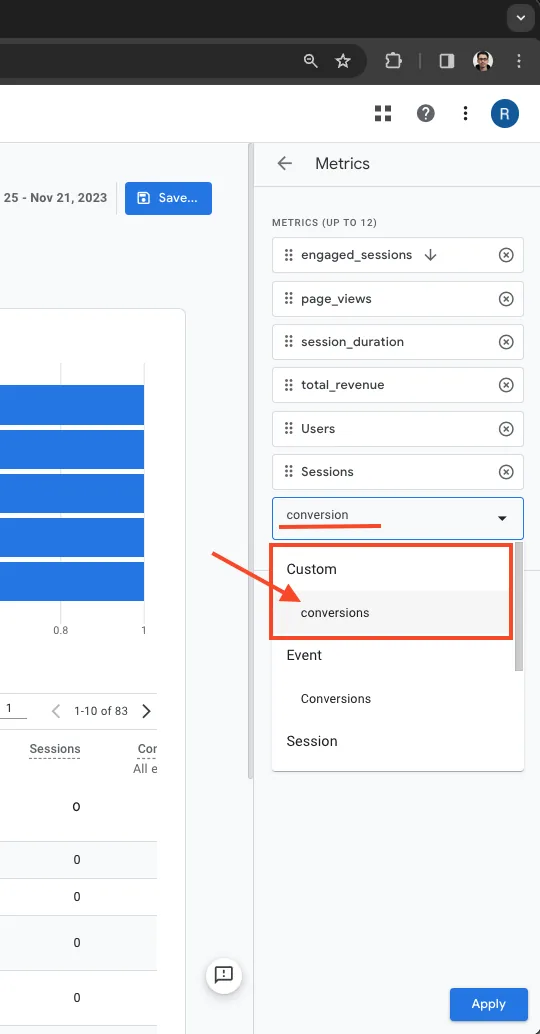
Choose Add metric and pick conversions, with a lowercase c, from the custom metrics. Type its name if it is not in view.
-
Check that the custom metrics for your own key events are there as well, such as
conversions_demo_bookedandrevenue_demo_booked. Add any that are missing the same way. -
Choose Apply, then Save → Save changes to current report.
-
Leave the editor with Back. If Google Analytics asks whether to discard changes, the save did not work. Save again.
4. Add it to a collection
Section titled “4. Add it to a collection”A saved report lives in the library until you add it to a collection.
-
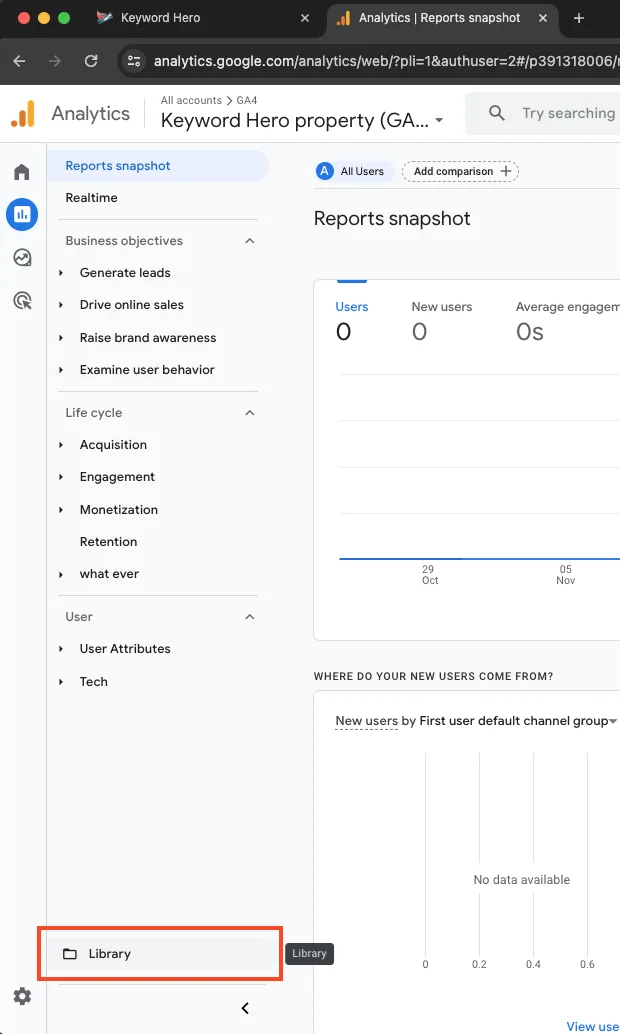
Open Reports → Library.
-
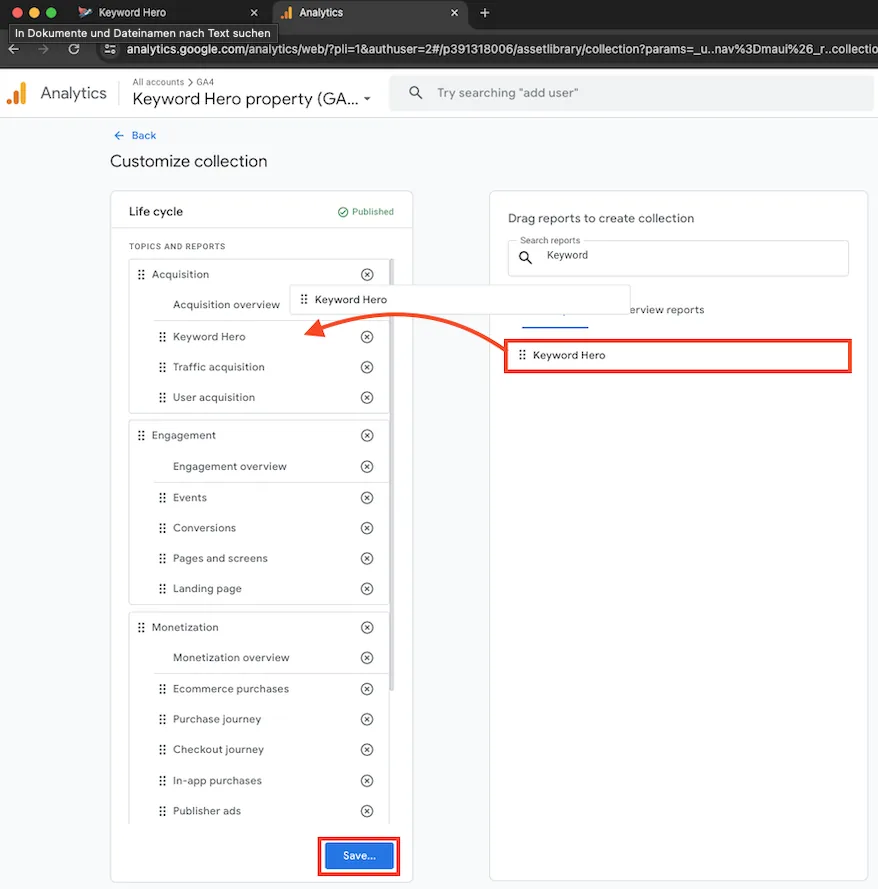
On the collection you want, such as Life cycle, choose Edit collection. Only published collections appear in the sidebar.
-
Drag your report into a topic, such as Acquisition.
-
Choose Save, then Back. If you saved it as a new collection, publish it.
Check it worked
Section titled “Check it worked”The report appears under the topic you chose in the Google Analytics sidebar, and its conversions column matches the conversions in the Keyword Hero app for the same days, three days earlier. See Data freshness.