
Load historical data
Keyword Hero starts matching from the day you set it up. Paid plans can also reach back and match past sessions, so you have something to compare against from day one.
Time: 1 minute to start, up to 48 hours to finish · You need: a paid plan
Before you start
Section titled “Before you start”- It is never automatic. Upgrading does not load history on its own, not even when you upgrade later. You start it yourself.
- Your plan sets how far back. Big Hero loads 1 month, Giant Hero 6 months, Ultimate Hero 16 months.
- Only data that exists can be loaded. If your Google Analytics or Search Console data does not reach back that far, fewer days are loaded.
- Historical data appears in the app only. It is not uploaded to the Keyword Hero property in Google Analytics. See Where your data lives.
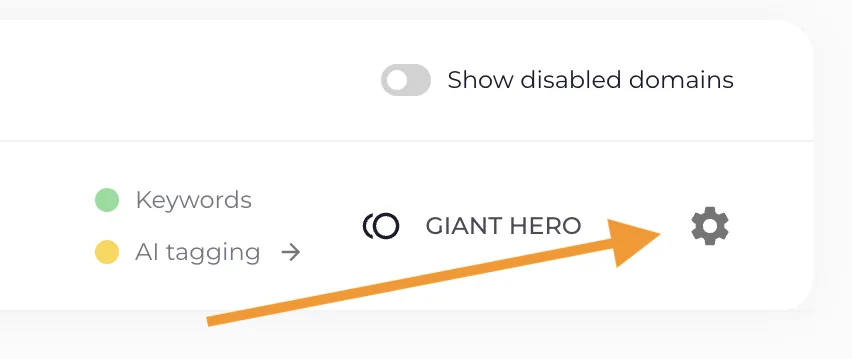
1. Open the project settings
Section titled “1. Open the project settings”Click the gear icon on the project in your Keyword Hero profile.
2. Open the Keywords tab
Section titled “2. Open the Keywords tab”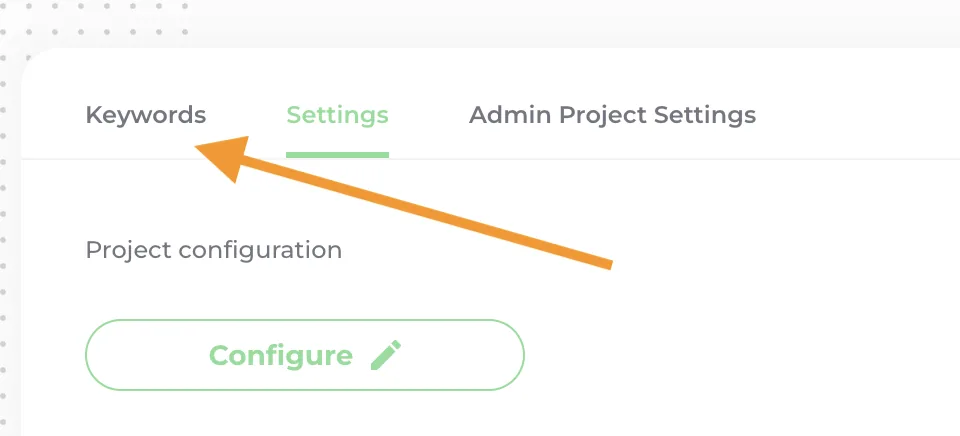
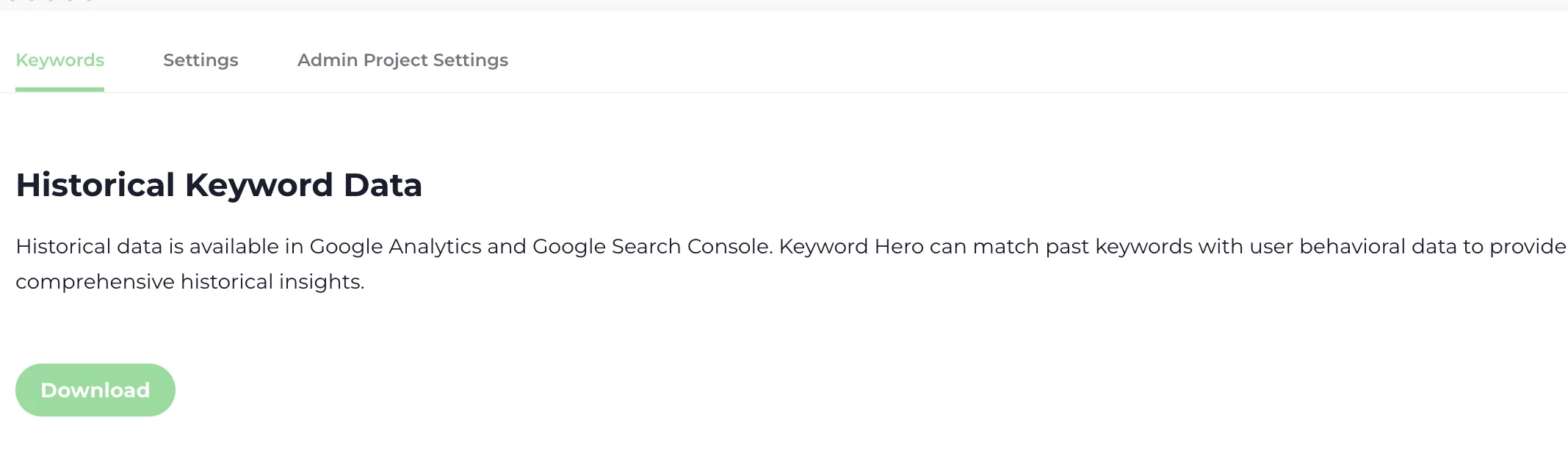
3. Start the load
Section titled “3. Start the load”Start the historical data load. A progress bar shows how many days have been loaded.
Check it worked
Section titled “Check it worked”When the load finishes, the date picker in the app lets you select dates before your setup date. How long it takes depends on how much data there is.
If the progress bar does not move, or 48 hours have passed, write to support@keyword-hero.com with your domain.