
Manage brand keywords
Keyword Hero sorts every keyword into brand or generic on its own. If it
missed one of your brand terms, or counted one that is not yours, correct it
here. The classification feeds the Brand vs. Generic report and the
brand_classification dimension in Google Analytics.
Time: 2 minutes · You need: access to the project in Keyword Hero
Before you start
Section titled “Before you start”A brand keyword names your brand, not a brand you sell. A shop called Asterisk Shoes that stocks Nike has asterisk shoes and asterisk shoes flyknit as brand keywords. nike flyknit is generic for that shop.
1. Open the Keywords tab
Section titled “1. Open the Keywords tab”-
Click the settings icon on the project.
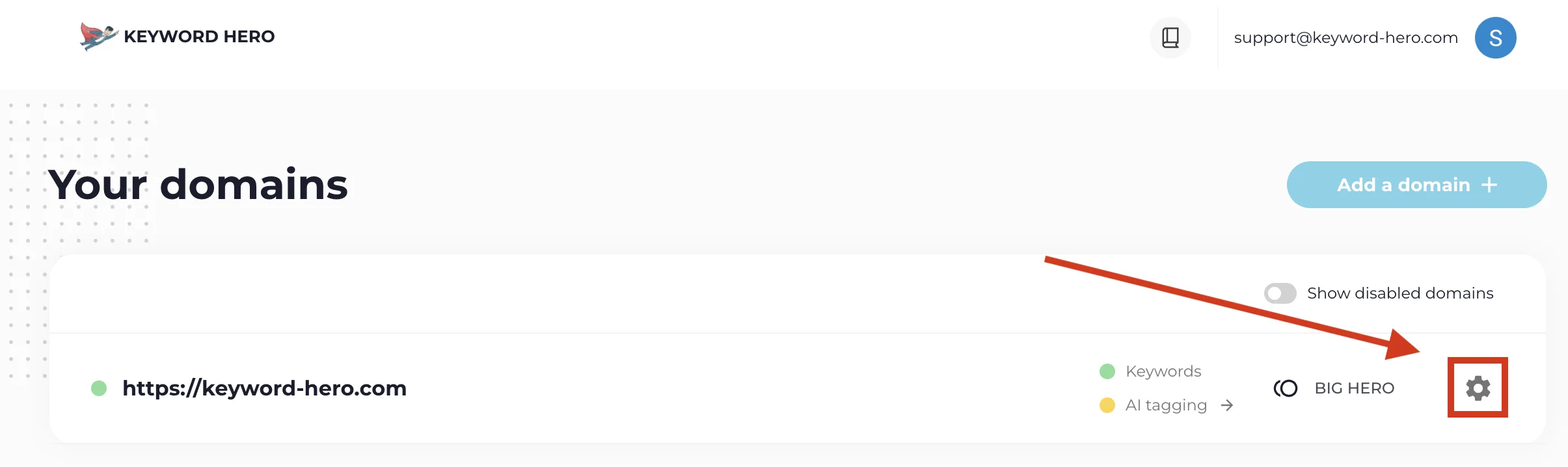
-
Choose the Keywords tab.
2. Add or remove terms
Section titled “2. Add or remove terms”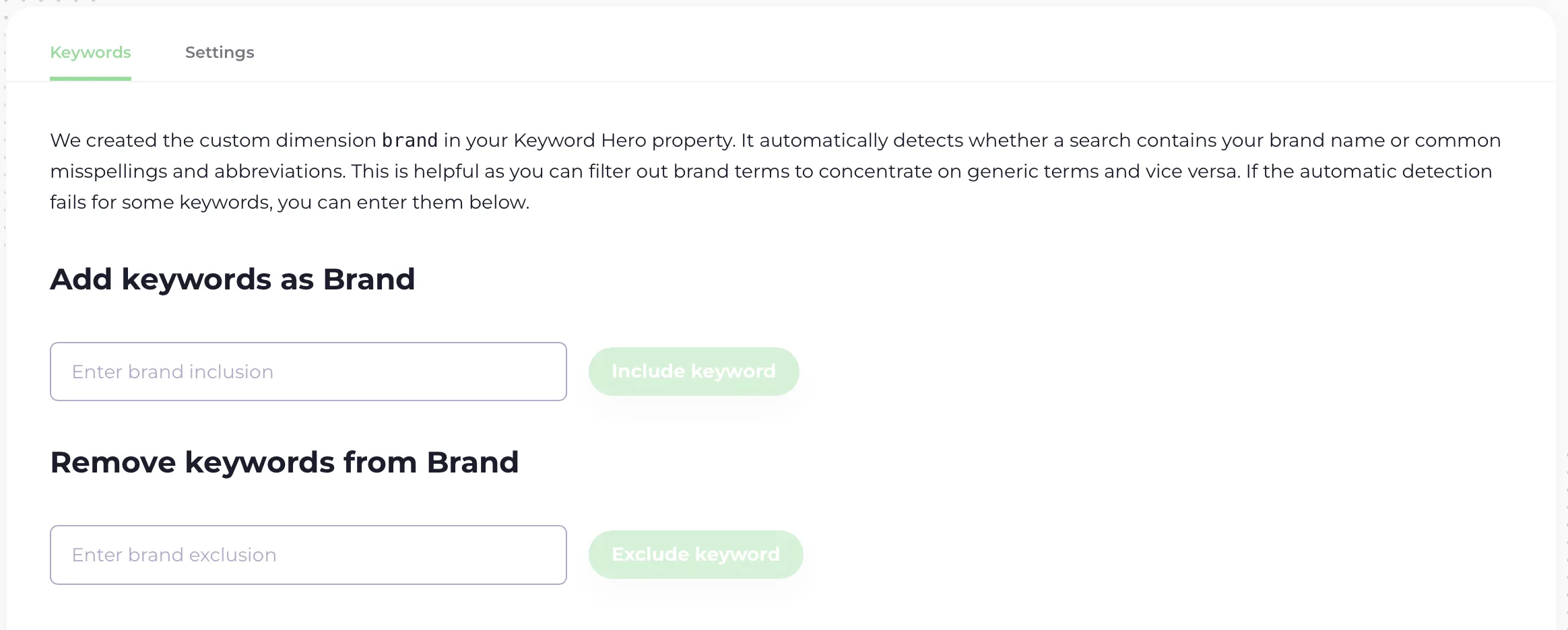
- To add brand keywords, type them into the first box.
- To remove brand keywords, type them into Remove Keywords from Brand.
Separate several terms with commas, semicolons or new lines.
3. Save
Section titled “3. Save”Save the change.
Check it worked
Section titled “Check it worked”The change does not show immediately. After the next daily run, the keywords you added appear under Brand in the Brand vs. Generic report.