
What Keyword Hero does
Open the organic traffic report in Google Analytics and look for the search terms. You will find one: (not provided). Google encrypts every search, so the term never reaches your analytics, and it has not for more than a decade. Why Google hides your keywords covers the history.
Search Console still knows which queries you were shown for and clicked on. What it cannot tell you is what those visitors did next: whether they stayed, whether they bought, how much they spent. That answer lives in Google Analytics, without the keyword.
Keyword Hero joins the two. For each organic session in your Google Analytics property, it works out which search term most likely started it, and attaches that term to the session. How keyword matching works explains the method.
What you get
Section titled “What you get”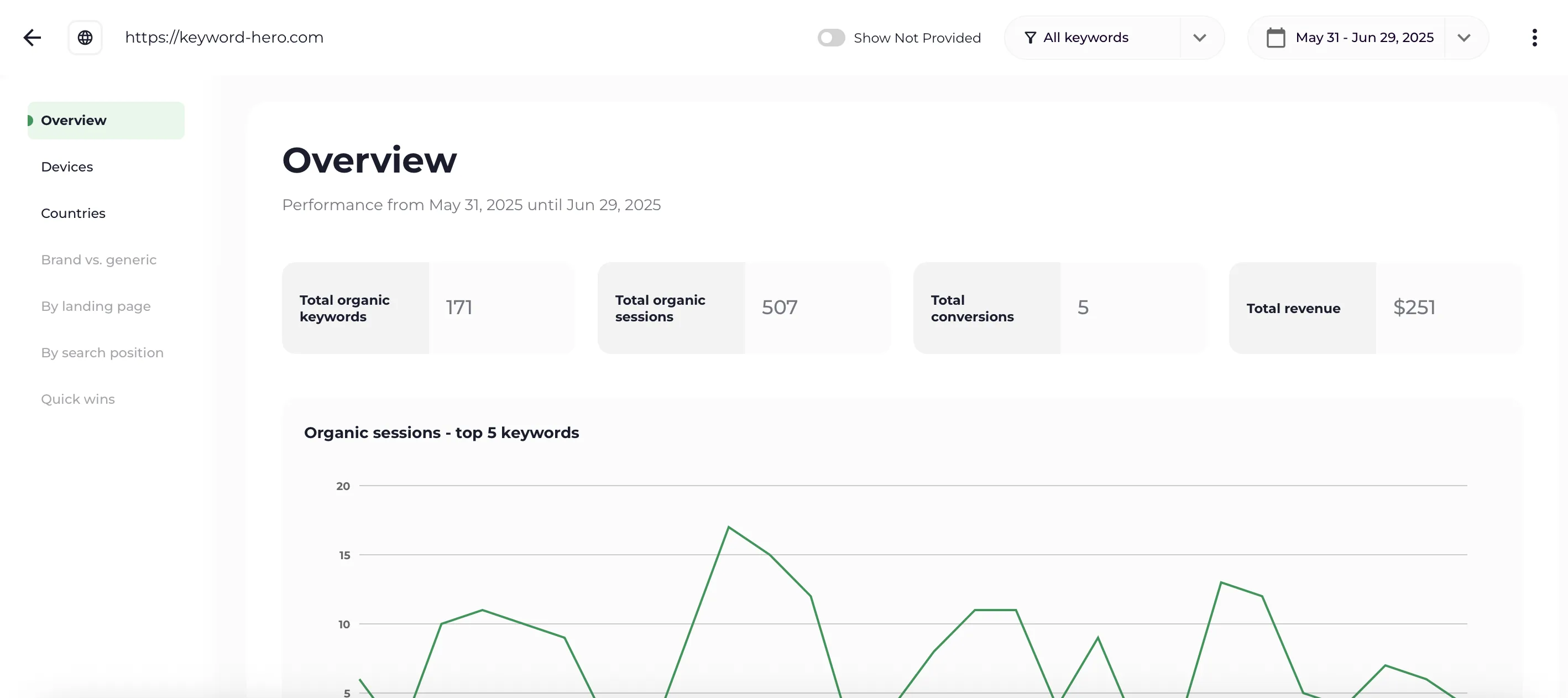
The Overview report. Every figure in it is per keyword, not per page.
Per keyword and per day:
- Sessions and engagement. Engaged sessions, page views, session duration and bounce rate, the same metrics you know from Google Analytics.
- Conversions and revenue. Your ecommerce transactions or the key events you choose, attributed to the keyword that brought the visitor. See Track key events.
- The ranking that produced the click. The Google position for each session, so one keyword can show several positions over time.
- Brand or generic. Keyword Hero detects which searches contain your brand, so you can look at the traffic you earned separately from the traffic you already had.
- Search intent. Informational, navigational, commercial or transactional, per keyword.
- Landing page, device and country for every keyword.
On average Keyword Hero identifies the keyword for 93% of organic sessions. Match rate explains what moves that figure.
Where the data goes
Section titled “Where the data goes”Keyword Hero puts the same data in up to three places. Where your data lives explains the differences.
| Where | What it is for |
|---|---|
| The Keyword Hero app | The reports, search intent and historical data |
| A Keyword Hero property in Google Analytics 4 | Your own reports and explorations, next to the rest of your GA data |
| Looker Studio | Dashboards, built on the Google Analytics property |
Your original Google Analytics property is never changed. Keyword Hero reads from it and writes to a separate property it creates for you.
What it does not do
Section titled “What it does not do”- It does not track rankings for keywords nobody clicked. Keyword Hero starts from your sessions. A keyword with impressions and no visits has no session to attach to.
- It does not replace Google Analytics or Search Console. It needs both, with the access listed in Required access.
- It does not work with other analytics tools. Adobe Analytics, Matomo and similar are not supported. Ask at support@keyword-hero.com if this matters to you.
Set it up: Quickstart.